Field notes · battery-powered BLE irrigation controllers
Your irrigation timer already talks. It just doesn't talk Wi-Fi.
This is about Galcon battery irrigation timers — the 6100 family and its relatives, sold as DC-6100, GL6100 and similar, the ones that pair over Bluetooth with the manufacturer's phone app and talk to nothing else. A small always-on computer puts them on Wi-Fi, into Home Assistant, and under real automation. Here is the working software, the protocol detail you'll need, and the parts.

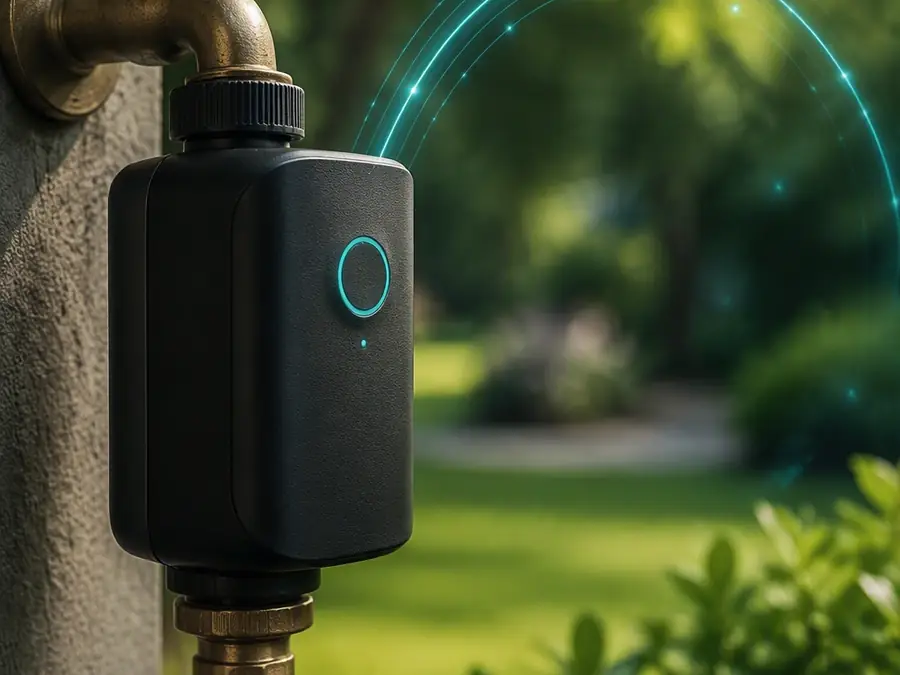


Is this your controller?
Everything here was worked out against a Galcon DC-6100 and verified against a live unit. If yours matches the description below, this page is for you.
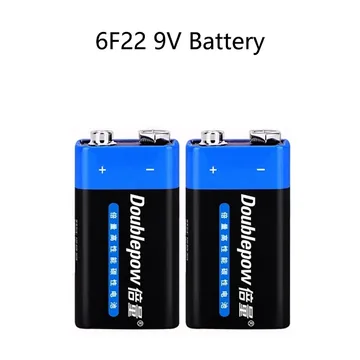
- It runs on batteries — typically two 9 V cells in the head, not mains power.
- It has no Wi-Fi of its own. The only way to change a schedule is to stand next to it with the manufacturer's Bluetooth app.
- The app shows a name like
DC 6100 - E30328— the model, then the last digits of the unit's Bluetooth address. - One to four valves, driven as latching solenoids, with a weekly or every-N-days programme per valve.
Closely related models in the same family behave the same way on the wire. A controller from a different maker, or a mains-powered one, is a different animal and none of the byte offsets below will apply to it. Nothing here is affiliated with or endorsed by any manufacturer.
Start with the software
You do not need to write any of this yourself. There is a maintained open-source project that already does the hard part: it connects to the controller, reads live status, edits schedules, and publishes everything to MQTT with Home Assistant auto-discovery.
Open source · Python
py-galcon-bt-control
Desktop GUI with live status and schedule editing, command-line tools, and an MQTT bridge with Home Assistant auto-discovery. Windows installer for x64 and ARM64; runs fine headless on a Raspberry Pi. Not affiliated with the manufacturer.
What it runs on. This is Python, so it needs a small always-on computer — a Raspberry Pi, a mini PC, a NAS, anything running Linux — placed within Bluetooth range of the controller. It does not run on a bare ESP32 board. That distinction decides what you need to buy, so it is worth getting right before you order anything.
Get it on GitHub →Install that first and confirm you can see your controller. Everything below assumes it is running and talking.
What this page adds
The project above documents the service, the characteristics, the active-zone byte and the open/close commands. Those are settled and this page does not restate them as new. What follows is the part that was still open — most of the status frame, and the battery.
| Field | Where | Status |
|---|---|---|
| Service & characteristics | — | already documented |
| Active zones, remaining time | status[0], [2–3] | already documented |
| Valve open / close | cmd[0], [1] | already documented |
| Battery level and low threshold | status[10–11] | new here |
| Input voltage, power rating | status[1] | new here |
| Sensor wet, master, fertilizer, AC | status[9] | new here |
| Rain-off days remaining | status[12] | new here |
| Valve count, DC/AC type | status[13] | new here |
| Firmware, signal, water budget | status[14–16] | new here |
| Duration as h / m / s | cmd[3–5] | refined |
| Rain-off and water-budget commands | cmd[2], [6], [7] | new here |
The battery reading
This is the field everyone gets wrong, and there is a good reason for it. Byte 10 on its own looks like nonsense — it climbs and wraps and never behaves like a percentage. It is not a percentage. It is the low half of a 16-bit value.
batteryLevel = status[11] << 8 | status[10]     # little-endian, raw ADC counts

lowBattery   = batteryLevel <= 3123    when input is  9 V
             = batteryLevel <= 2947    when input is 18 V
The number is a raw converter count, not millivolts and not a percentage. Do not render it as volts — a fabricated unit is worse than an honest raw figure. What makes it useful is that the thresholds above are the same ones the controller's own app uses to decide when to warn you, so an integration can raise "battery low" at exactly the right moment instead of at a guessed number.
Which threshold applies
Bit 6 of status[1] tells you the controller's input voltage: set means 18 V, clear means 9 V. Read it per frame rather than assuming — the same protocol covers both.
inputVolts = (status[1] >> 6) & 1 ? 18 : 9
A worked example. A resting frame of ff 00 … 08 a6 0e 00 db 2f b1 64 gives byte 10 = 0xa6 (166) and byte 11 = 0x0e (14), so the level is 14×256 + 166 = 3750. Byte 1 is zero, so the input is 9 V and the threshold is 3123. The pack is healthy.
The rest of the status frame
Twenty bytes, read from the status characteristic. Offsets not listed here are either already covered by the project above or have no established meaning.
| Byte | Meaning | How to read it |
|---|---|---|
| 1 | Input voltage, power rating | bit6 → 18 V / 9 V · bit7 → rating |
| 9 | Device flags | bit0 sensor wet · bit1 master open · bit2 fertilizer · bit3 AC present |
| 10–11 | Battery level | LE16, raw counts |
| 12 | Rain-off days remaining | 0 = not in rain-off |
| 13 | Valve count and supply type | bits0–2 → lookup below · bit3 set = DC |
| 14 | Firmware version | integer |
| 15 | Signal strength | unsigned — subtract 256 for dBm |
| 16 | Water budget | percent |
Valve count lookup
Bits 0–2 of byte 13, read least-significant first and concatenated, index a table rather than encoding the count directly:
{ 000: 0,  100: 1,  010: 2,  110: 4,
  001: 6,  101: 9,  011: 12, 111: 12 }
So a controller reporting 110 has four valves. Worth checking against what your own bridge enumerates — if the two disagree, trust the bridge and tell me.
Commands beyond open and close
The command frame is twenty bytes, all zero except the fields you set. Byte 2 acts as an opcode for the device-wide settings; the valve commands leave it at zero.
| Byte | Field | Encoding |
|---|---|---|
| 0 | Close valve | zone number |
| 1 | Open valve | 0x80 | zone number |
| 2 | Opcode | 1 = rain-off 2 = water budget |
| 3–5 | Duration | hours, minutes, seconds |
| 6 | Rain-off days | 0 clears it |
| 7 | Water budget | percent |
Duration is a full h/m/s triple, not a single minutes byte. That matters for the short cycles these controllers are good at — ten-second bursts for propagation misting, or the sub-minute pulses a panel rinse wants.
Give the capacitor time
Battery models drive a latching solenoid from a capacitor, and the capacitor needs to charge before it can throw the valve. The app waits a full six seconds after connecting before it sends any valve command. If your writes are accepted but the valve never moves, this is almost always why — shorter empirical waits work most of the time, which is exactly what makes the failure so confusing.
What you actually need to buy
The controller only speaks Bluetooth LE, and BLE range is short. So you need one thing within radio reach of it that also holds a Wi-Fi link back to your network. What that thing is depends on which software you run, and the two answers are genuinely different.
Route A · recommended
A small Linux computer
Runs py-galcon-bt-control or ble2mqtt — both are Python. You get the full picture: live status, the battery reading below, and schedule editing. A Raspberry Pi Zero 2 W is enough, and any Pi, mini PC or NAS you already own will do, provided it sits close enough to the controller and stays on.
Route B · firmware only
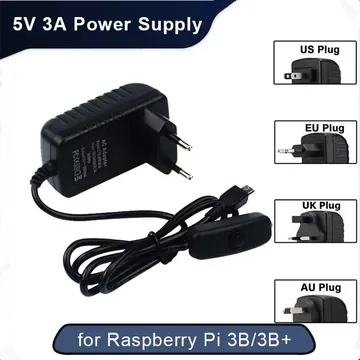
An ESP32 board
Cheaper and needs no computer, but be honest about the state of it: the one published ESPHome component for this hardware targets a different model in the family and has not been touched since 2023. Treat it as a starting point to adapt, not as something that will work the day it arrives.
If you just want it working, take route A. The boards below are listed for route B and for anyone who likes flashing firmware — not as a substitute for the computer route A needs.
Affiliate disclosure. The product links below are affiliate links. If you buy through them the price is unchanged for you and this page earns a small commission. Prices were correct when the page was built and will drift.
Route A — the computer and its two consumables
A word on the board itself: buy it from an official Raspberry Pi reseller, not here. Marketplace listings for genuine Pi boards run well above retail and sell in ones and twos, so there is no link for it below — and if you already own any always-on Linux machine near the controller, you need neither the board nor these two items.

ESP32 boards (route B)

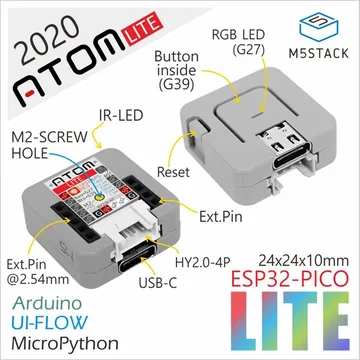
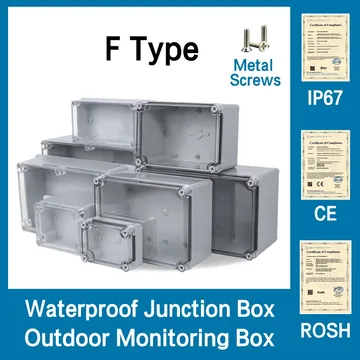

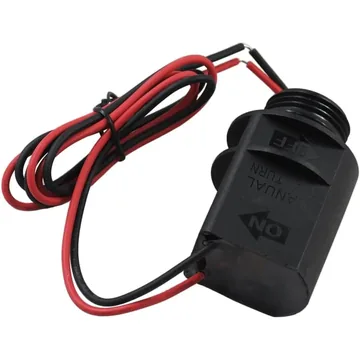
For the controller

Application: washing solar panels on a schedule

This is the use that justified the whole exercise, and it is not what these controllers are sold for.
Rooftop panels lose output to dust. The usual answer is to book a cleaner a few times a year, which is expensive and badly timed — you pay whether the panels needed it or not. A few irrigation valves plumbed to sprayers along the array turn that into a scheduled rinse, and once the controller is on Wi-Fi the schedule can respond to conditions instead of a calendar.
Two things make this work properly, and both need the controller to be readable rather than just writable:
- Skip the wash when it has already rained. Pull rainfall from a weather integration, and if enough fell overnight, set rain-off instead of running the cycle. That is opcode 1 with a day count — a single command, no schedule rewrite.
- Wash when the panels are actually dirty. If your inverter reports per-panel output, compare panels within the same orientation group over time. Panels facing different directions peak at different hours, so an array-wide average hides everything; a within-group comparison shows soiling. Trigger the rinse on that trend rather than on a fixed interval.
Short cycles matter here, which is why the h/m/s duration encoding above is worth having — a panel rinse is a couple of minutes per zone, staggered, not a garden soak.

Use mains or filtered water if you can. Hard water dries to a mineral film that costs you more output than the dust did.
Application: the garden it was built for
The ordinary use, done properly once the controller is no longer a black box.
Out of the box these timers run a fixed weekly schedule that you edit by crouching in front of the unit with your phone. On Wi-Fi, the same hardware becomes something you can drive from conditions: skip a cycle after rain, shorten everything in a cool week with the water-budget command, extend it in a heatwave, and get a notification when a battery is genuinely low rather than when a zone has already failed silently.
The water budget is the underused one. It scales every programmed duration by a percentage in a single write — opcode 2 with a percent in byte 7 — so seasonal adjustment does not mean rewriting every schedule record.


What else opens up
Once status is readable and commands are writable from your own code, the controller stops being an appliance and becomes a component.
- Battery alerting that means something. With the threshold above, a notification fires at the same point the manufacturer's own app would — early enough to act, late enough not to nag.
- Weather-driven rain-off. One command, set from a forecast, instead of remembering to disable the timer before a storm.
- Soil moisture in the loop. A cheap probe on the same bridge board turns an open-loop schedule into a closed one.
- Flow monitoring. A pulse meter on the line, watched against expected duration, catches a stuck valve or a burst dripper on the day it happens.
- Real history. The app shows you the schedule. Logging status yourself gives you what actually ran, which is a different and more useful thing.
Other Bluetooth irrigation controllers
This page is about one family. Several other BLE timers have community work behind them, at varying depth. Rather than restate any of it, here is where to look.
| Controller | Where the work is |
|---|---|
| Galcon 9001BT / 11000 | suborb/GalconController — Python, documents a shorter 7-byte frame format used by that generation |
| Galcon 9001BT on ESP32 | sr01/gl9001-esphome — an ESPHome component, the closest thing to a drop-in Wi-Fi bridge |
| Generic BLE devices | zewelor/bt-mqtt-gateway and devbis/ble2mqtt — extensible BLE-to-MQTT gateways worth starting from for an unsupported timer |
The two Galcon generations are not compatible: the newer one uses 20-byte frames and a different service, the older one 7-byte frames. Code written for one will connect to the other and then quietly do nothing useful.